Desk Setups for Video Calls: How to Look Professional in a Small Space
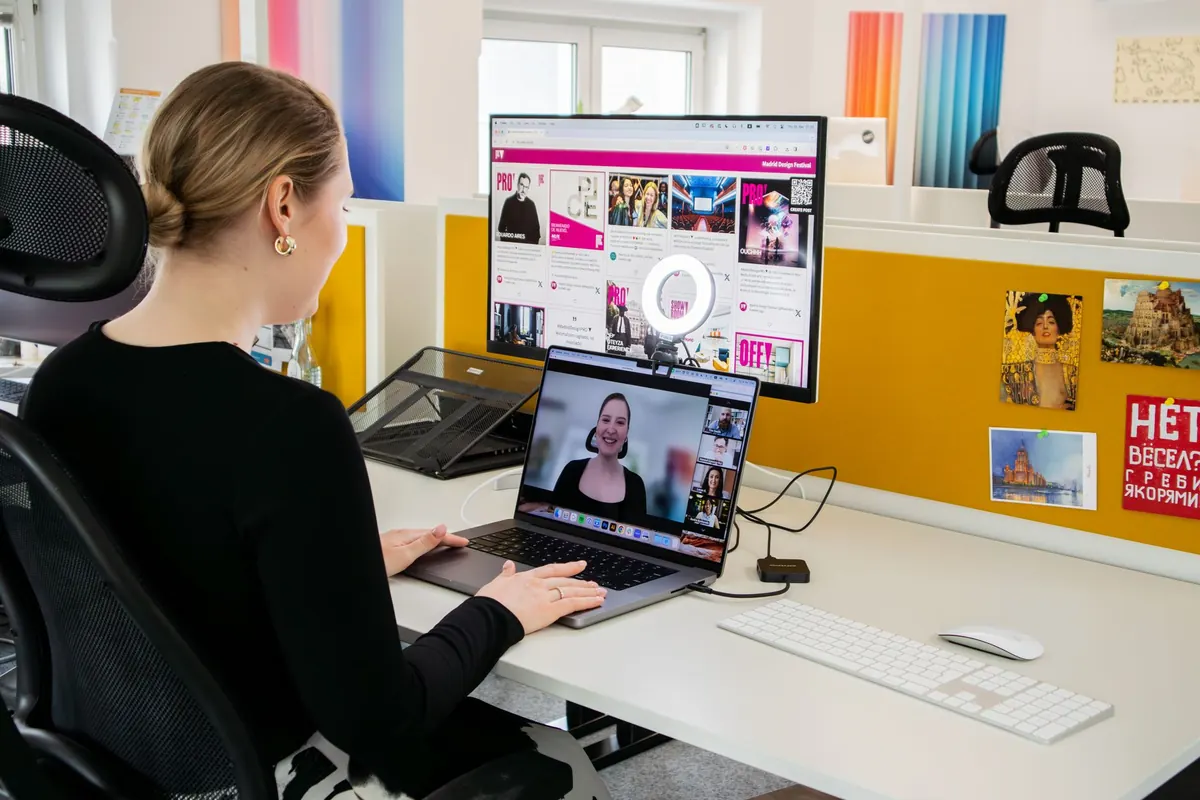
Most video calls are judged in the first three seconds. Before you have said a word, the other person has already registered where your camera sits, what is behind you and whether your face is lit or lost in shadow. In a small home office, none of that happens by accident. The good news is that a professional-looking setup does not require a spare room, an expensive camera or a builder. It requires a few deliberate choices about height, light and what the lens can actually see.
Before adjusting anything, open your usual video app and join a test meeting, or simply look at your own preview. Then step back and study it honestly. What is in the frame? Where is your eyeline? Is there a window glare behind your shoulder? Most people are surprised by how much clutter sits in shot — a drying rack, a stack of post, the edge of a bed.
You do not need a beautiful room. You need a controlled portion of one. Everything outside the frame is irrelevant, which is genuinely useful when space is tight.
This single adjustment does more for how you come across than almost anything else. A laptop sitting flat on a desk films you from below, which emphasises the chin and nostrils and makes you look slightly defensive. A camera above eye level looks down on you and reads as oddly formal.
Aim for the lens to sit roughly at the height of your eyes when you are sitting naturally. In practice that means:
Raising the screen also nudges you to sit up. That alone improves posture on long calls, which matters more than most people admit.
Lighting is where small rooms cause the most trouble, usually because the only window is in the wrong place. The rule is simple: light should fall on your face from in front of you. A window behind you turns you into a silhouette while the camera frantically exposes for the bright glass.
If your desk faces a window, you are already in good shape. Sit slightly off to one side so the light is soft rather than direct. If you cannot move the desk, a small LED panel or even a desk lamp positioned behind your screen, angled towards you, will fill in the shadows. Diffuse it with a sheet of tracing paper if the light feels harsh, and avoid the overhead ceiling light as your only source — it casts shadows down the face and flattens everything.
One caution: mixed colour temperatures look odd on camera. A warm yellow lamp on one side and cool daylight on the other leaves half your face orange. Match them where you can, or switch off the weaker source.
The neatest trick for a compact office is to sit so you are facing a wall with roughly a metre of space behind you. That gives depth without exposing the rest of the room. From there you have two sensible options.
A blank wall, or one with a single framed print and a plant, reads as tidy and deliberate. Keep the frame simple. Avoid strong patterns and very bright colours directly behind your head.
If you want personality, arrange a few books and objects on a shelf behind you. Do not fill it. A dozen similar spines and one plant look considered; a chaotic shelf looks like storage. Keep the areas just beside your head empty so nothing appears to sprout from your shoulder.
Virtual backgrounds are a reasonable fallback if your space is genuinely unpresentable, but they blur edges around hair and hands and can distract. A real, tidy corner usually beats a digital one.
Once the frame is set, a handful of details finish the job:
People forgive a slightly plain background far faster than they forgive echoing, tinny audio. A small room with hard floors and bare walls bounces sound badly. Soft furnishings help: a rug, curtains, a cushion or two, even a bookshelf behind you acts as a diffuser. If you are on calls for hours, a modest headset or a directional microphone will do more for your professional impression than any camera upgrade.
The value of all this is that it becomes invisible. Spend an afternoon raising your screen, finding a light source and clearing the wall behind you, and every call afterwards starts from a good baseline. Mark the height of your stand, keep the keyboard in the same place and leave the corner tidy so you can sit down and join without a scramble. A small room is not a disadvantage here; it is simply a smaller stage to arrange, and once arranged, it stays that way.
Photo: Walls.io / Pexels
Previous Post
How to Create a Productive Home Office in a Spare Bedroom
Next Post
The Seasonal Workspace Reset: Preparing Your Home Office for Autumn and Winter